Custom software
Web and desktop systems made around how your company works: internal dashboards, order or inventory control, reports. Designed with you and delivered in stages.
We build systems, automations, integrations and AI tools for small and medium-sized businesses that want to invest in technology.
We also build NextHelp, a meeting copilot for macOS. Meet NextHelp
Web and desktop systems made around how your company works: internal dashboards, order or inventory control, reports. Designed with you and delivered in stages.
Tasks that are done by hand today across spreadsheets, emails and repeated data entry, handled by programs that run on their own and keep a record of what they did.
We connect your sales system to inventory, invoicing to accounting, or your online store to your warehouse, so every piece of data is entered only once.
Assistants that answer using your company's information, and tools that summarize, classify or draft. We use models that run on your own machines or the provider you choose.
If you have already signed up for a platform, or are about to, we help you configure it, connect it to what you already use and put it to work in your daily operations.
You tell us what you want to solve and how it is done today. We ask questions until we understand it well.
You receive in writing what will be built, in how many stages and with what scope, so you can decide clearly.
We work in short stages. With each delivery you see working progress and can change course before moving on.
After delivery we stay available to fix, adjust and answer questions. The terms are agreed in the proposal.
Small and medium-sized businesses with a budget to invest in technology, which large consultancies tend to overlook.
We move them to a system made for your operation, with a single version of the data that everyone consults.
We connect the systems so every piece of data is entered only once.
We automate it so it generates itself and keeps a record of what it did.
We help you configure it, connect it to what you already use and get it working day to day.
We work with retail, food, manufacturing and service companies. If your case looks like any of these, tell us about it.
People don't want more options. They want more certainty.
Our mission is to reduce the mental load of everyday decisions, so you spend less time searching and more time on what matters.
We want technology that stops being an endless catalogue and becomes a companion that understands each person's context. We don't aim to replace human decisions: we aim to make the best ones easier.
If a feature needs explaining, it probably isn't ready yet. We prefer fewer steps and fewer screens.
When there are several ways to solve something, we tell you which one we recommend and why, instead of leaving you with a list.
We use it when it helps solve something concrete. It is never mandatory and never the goal.
We start from who will use the tool and what they need to do at that moment.
Before adding anything we ask whether it really saves someone a step or a doubt. If not, we don't build it.
We tell you clearly what each thing does and what happens to your data. We don't present an estimate as if it were a certainty.
A macOS desktop app that goes along with you during a meeting: it transcribes, translates and helps you answer using your own documents.
Requires a Mac with Apple Silicon and macOS 15 or later. macOS 26 is recommended.
How to open it the first time. NextHelp does not have an Apple developer certificate, so macOS will ask for confirmation. Right-click the app, choose Open and confirm. This is only needed the first time.
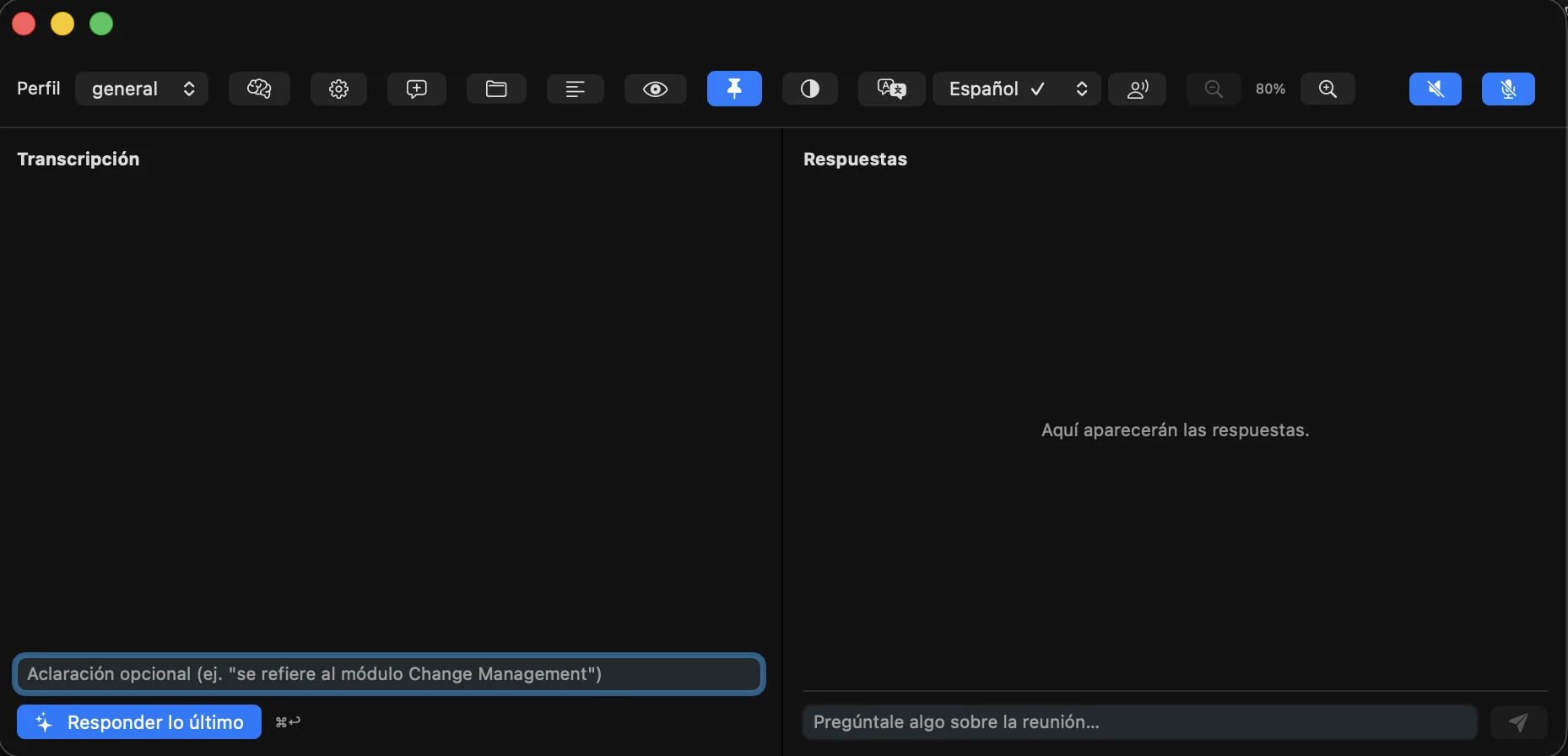
What is said in the meeting appears as text as it happens.
Translates what is said so you can follow the conversation in your language.
Answers questions using the documents you point it to.
Shows your notes or script on screen while you speak.
The NextHelp window is hidden when you share your screen.
The app can be used in five languages.
By default: everything on your Mac
If you choose it: a cloud AI provider
NextHelp runs on your Mac by default. If you choose a cloud provider with your own API key, the text you send is processed by that provider, under its own terms.
We are a multidisciplinary group dedicated to solving problems with technology.
Before writing a line of code, we understand how your business works and what you want to solve. Then we build the solution in stages, together with you.
We develop custom software for businesses, and our own products such as NextHelp.
It depends on scope, so there is no fixed rate. After the first conversation you receive a written proposal with the cost and what it includes, before anything starts.
It depends on size. A small automation and a full system are not the same. In the proposal we agree on a schedule by stages and, since we deliver in stages, you see progress from the first ones.
We define it in writing in the proposal, before starting, so you know from the beginning what you receive and with what usage rights.
If you need it, we agree on it in writing before you share information about your company.
The download is free on GitHub. If you choose a cloud AI provider with your own API key, that provider may charge you according to its terms.
By default, transcription and AI run on your Mac. If you choose a cloud AI provider, the text you send is processed by that provider.
Write us a short description of what you want to solve. We reply by email.
contacto@zeedatik.com